
Step 1: Install the app
Scan the QR code that matches your phone and where you live. Google Play is not available in mainland China, so Android users there install through Loadly. The iOS app is not published in the China App Store, so iOS users there install through TestFlight.
| Android | iOS | |
|---|---|---|
| Outside China |  |
 |
| Inside China | 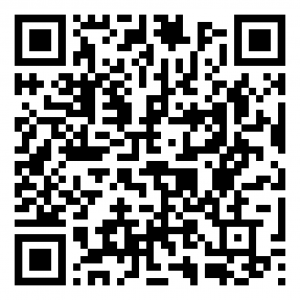 |
 |
- Android, outside China: Google Play.
- iOS, outside China: App Store.
- Android, inside China: v5.0.8, 42.15 MB. Your phone may warn that the app is “unknown” or “potentially harmful”. This is expected: the app is installed outside an app store and uses sensors such as location, microphone and health data, which security scanners treat with caution. The file is the official CARP Studies app, signed by CARP. Choose “Install anyway” (or “More details → Install anyway”).
- iOS, inside China: TestFlight (the app is not on the China App Store). Install the TestFlight app first, then open the link.
Step 2: Join the study
After installing the app, you either scan this QR code (link) to join the study or use the code inside the app: XWLCY.
