
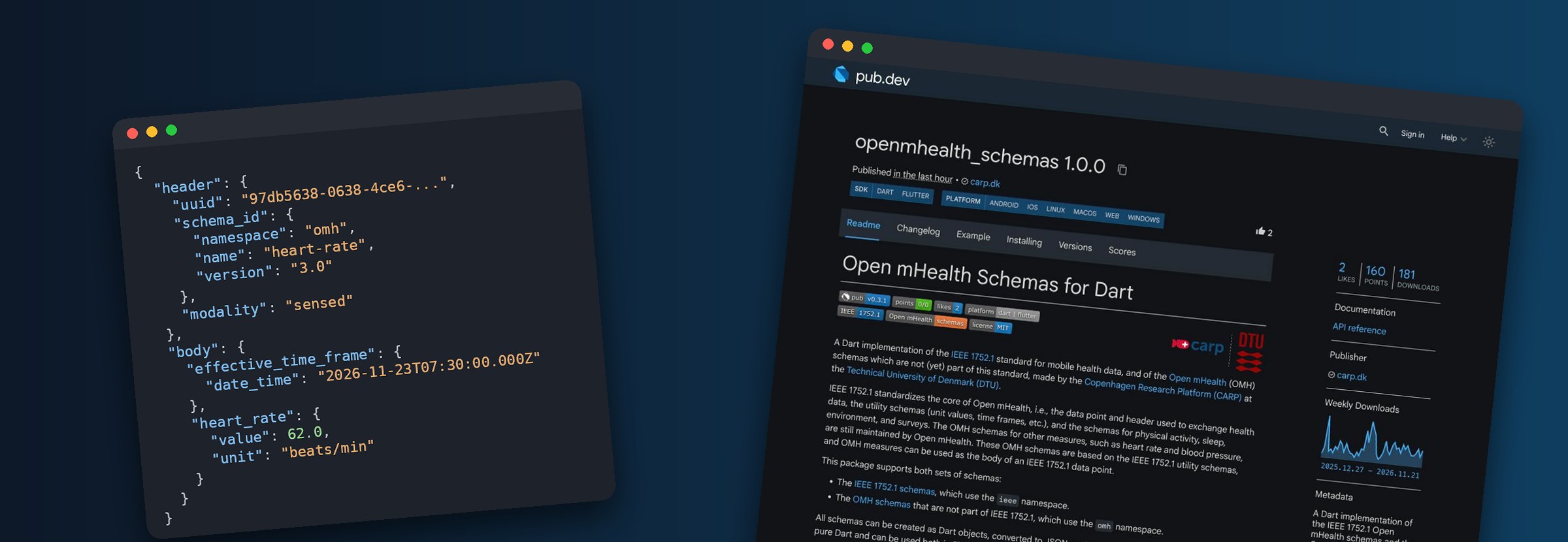
We’ve released version 1.0 of openmhealth_schemas, our Dart package for working with mobile health data in the Open mHealth format. The big news: the package now supports IEEE 1752.1, the open standard for mobile health data that grew out of Open mHealth.
From Open mHealth to an IEEE Standard
Open mHealth defined a common JSON format for health data such as physical activity, heart rate and sleep, so data from different apps and devices can be combined and compared. The core of this work has now been standardized as IEEE 1752.1. It covers the data point and header used to exchange data, the basic building blocks like units and time frames, and the schemas for physical activity, sleep, environment and surveys.
Open mHealth continues to maintain the schemas that aren’t part of the standard yet, such as heart rate and blood pressure.
What’s New in 1.0
- All IEEE 1752.1 schemas: data points and data series, physical activity, 11 sleep measures (from total sleep time to sleep stages and snoring), ambient light, sound and temperature, and surveys.
- The latest Open mHealth schemas: heart rate, blood pressure, RR interval, calories burned, acceleration and geoposition, all updated to their newest versions.
- The two work together. An Open mHealth measure, like a heart rate, can be sent in an IEEE 1752.1 data point, just as the standards intend.
- Reading data back is easy. When you read a data point from JSON, its content comes back as the right Dart class, e.g. a
HeartRate, based on the information in the header. - Times are always in UTC, so data recorded on a phone means the same point in time everywhere it’s read.
- Tested against the source. The package is tested with the official sample data from both the IEEE and Open mHealth repositories, and its JSON output is validated against the official JSON schemas.
A Quick Example
A heart rate measure is created using its Dart class and wrapped in a data point:
final heartRate = HeartRate(
  heartRate: HeartRateUnitValue(
    unit: HeartRateUnit.BEATS_PER_MINUTE,
    value: 62,
  ),
  temporalRelationshipToPhysicalActivity:
      TemporalRelationshipToPhysicalActivity.AT_REST,
)..effectiveTimeFrame = TimeFrame(dateTime: DateTime.utc(2026, 11, 23, 7, 30));

final dataPoint = DataPoint(
  body: heartRate,
  modality: DataPointModality.SENSED,
);

print(const JsonEncoder.withIndent('  ').convert(dataPoint));
This prints a standard IEEE 1752.1 data point, ready to store or send to a server:
{
  "header": {
    "uuid": "97db5638-0638-4ce6-a0fa-c9a7c45bac0e",
    "schema_id": {
      "namespace": "omh",
      "name": "heart-rate",
      "version": "3.0"
    },
    "source_creation_date_time": "2026-11-23T19:55:00.982552Z",
    "modality": "sensed"
  },
  "body": {
    "effective_time_frame": {
      "date_time": "2026-11-23T07:30:00.000Z"
    },
    "heart_rate": {
      "value": 62.0,
      "unit": "beats/min"
    },
    "temporal_relationship_to_physical_activity": "at rest"
  }
}
The header is created automatically, with a unique id, the schema id of the measure, and the time it was created. Note that the header is an IEEE 1752.1 header, while the body is an Open mHealth heart rate, as identified by the schema id in the header.
Reading JSON Into Dart Classes
The package also works the other way: any JSON data that follows the schemas can be read into Dart objects using the fromJson constructors. When reading a data point, the body is automatically created as the right Dart class, based on the schema id in the header:
final dataPoint = DataPoint.fromJson(
  json.decode(jsonString) as Map<String, dynamic>,
);

if (dataPoint.body is HeartRate) {
  print((dataPoint.body as HeartRate).heartRate.value); // 62.0
}
This makes it easy to work with data from other apps, devices and servers that use IEEE 1752.1 or Open mHealth. A body of a schema not known by the package is read as a GenericMeasure, which keeps the original JSON.
Upgrading
Version 1.0 is a major release. The old Open mHealth data point, physical activity and step count schemas are replaced by their IEEE 1752.1 versions; steps are now part of physical activity. A few classes and properties have also been renamed. The changelog lists every change and what to use instead.
Get Started
dart pub add openmhealth_schemasThe package is pure Dart, so it works in both Flutter apps and Dart servers. You’ll find documentation and more examples on pub.dev, and the source on GitHub. Bug reports and suggestions are welcome in the issue tracker.